Service
Introduction to Call Closure Exceptions
The Call Closure Exceptions screen is a new screen (in BPO2)  that displays the list of Close Call Exceptions returned by the (Auto Close Call Service) , with the corrective action. You can easily access the call, as well as the call related functions and transaction tiles. These exceptions can then be processed on BPO, and once flagged as processed, the call can then either be closed manually or left to be auto closed by the Close Call Service.
The Call Closure Exceptions are as follows:
- New part requests requires approval (where approval is required).
- Open part requests need to be actioned.
- Open sub contracts need to be received.
- Invoices need to be printed.
- Credit notes need to be authorised.
- Loan unit out against the call.
- Non billable serialized stock issues.
- Meters attached with no readings captured (where meter reading required is yes)
- Open warranty claims have not been processed.
- Unreviewed hours (where TimeReview flag is Yes)
- Items to Invoice:
- Part requests
- Travel
- Warranties
- Sub-contracts
- Services
- Work expense
- Labour
The Call Closure Exceptions Listing Screen
Ribbon Select Service > Call Exceptions

- The Closure Exceptions Listing screen will be displayed, listing all Completed calls with completed work orders that have closure exceptions.

Quick Call Access
- You can double click on a call to view the Call Details.
 For a detailed handling of this topic refer to Service - Closure Exceptions - View Call Details
Ribbon Action Buttons
Maintain Action Button
- From the Closure Exception Screen you can Save Comments or note whether the Processed for each Closure Exception item. Refer to Add a Comment or Calls - Edit a Call

Process Action Buttons
- Close a call when there are no further outstanding items on the call.
- Invoice all billable items on the call underlying work orders.
- Credit invoices raised against the call or underlying work orders.
- Issue stock against open part requests.
- View Work In Progress Items linked the call underlying work orders.
- Flag Items for closure processing.

State Action Buttons
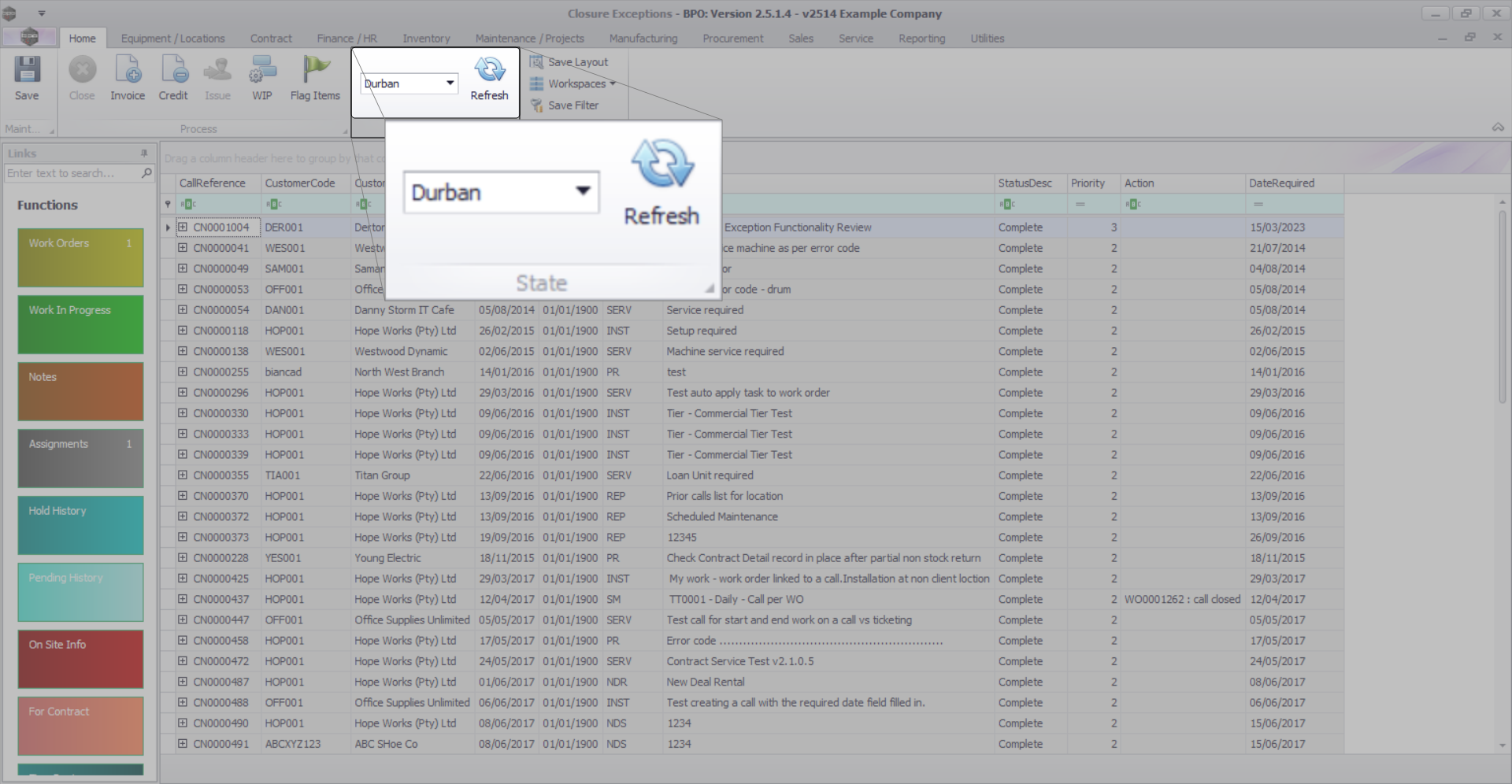
- The Closure Exceptions listing can be Refreshed.
- Calls can be filtered by Site.
Format Buttons
- Save Layout - Saves any changes made to the data grid, such as changing column width.
- Workspaces - Saves layout preferences.
- Save Filter - Saves any applied filters set on the data grid.

BPO.MNU.125